
Educational articles in English by Kruaof. Explore technology in teaching, digital tools, learning strategies, and free resources for global educators.
Educational articles in English by Kruaof. Explore technology in teaching, digital tools, learning strategies, and free resources for global educators.

Why Canva is a Must-Have Tool for Educators If you’re a teacher in 2025 and not using Canva, you’re missing out! Canva is a free design platform that helps educators create beautiful, effective learning materials — without needing graphic design skills. From lesson plans to student posters, Canva can transform your classroom. What Teachers Can Create with Canva Lesson Plans Use templates to organize objectives, materials, activities, and assessments in a visually clear format. Worksheets and Han [ อ่านต่อ ]

Why Teach Coding to Kids? Coding builds logical thinking, problem-solving skills, and creativity. It’s no longer just for computer scientists — it’s a core skill for the next generation. By introducing coding early, teachers help students become confident digital creators instead of passive consumers. Best Coding Platforms for Kids (Free & Easy) 1. Scratch – scratch.mit.edu Drag-and-drop blocks make coding fun. Students can create stories, animations, and games. 2. Code.org – code.org [ อ่านต่อ ]

Why Teachers Should Explore Online Income Opportunities In 2025, teaching no longer has to be confined to the classroom. With a laptop, internet connection, and a little creativity, teachers can turn their knowledge into income from anywhere in the world. Here are 7 practical and proven methods teachers can use to start earning online today: 1. Create and Sell Online Courses Platforms like Skillshare, Teachable, and Udemy let you share your expertise with global learners. Topics can include anyt [ อ่านต่อ ]

In 2025, artificial intelligence (AI) is no longer a futuristic idea – it’s a practical solution for teachers who want to work smarter, not harder. With the right tools, AI can help you plan lessons faster, generate worksheets, and even engage your students in exciting ways. Here are the Top 5 AI tools that every educator should explore this year: 1. MagicSchool.ai Best for: Automatic lesson plans, rubrics, and teaching strategiesMagicSchool is an all-in-one platform that helps teachers create l [ อ่านต่อ ]

Written by Kruaof – Kruaof.com Teaching isn’t just about content—it’s about capturing attention. With Canva, teachers can create beautiful, engaging visuals for the classroom without any graphic design background. Here are 5 creative ways teachers can use Canva in the classroom: 1. Design Eye-Catching Slides Say goodbye to boring PowerPoint templates. Canva offers thousands of free, modern slide layouts that are perfect for any subject and age group. Add animations, images, and icons effortlessl [ อ่านต่อ ]
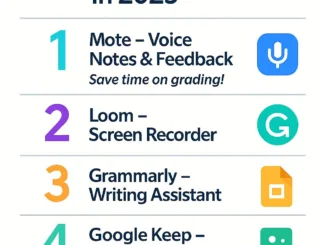
Written by Kruaof – Kruaof.com Looking for ways to teach smarter, not harder? These free Chrome extensions will transform how you plan lessons, communicate with students, and manage your digital classroom. Here are the Top 5 Chrome Extensions every teacher should try in 2025: 1. Mote – Voice Notes & Feedback Tired of typing comments? Use Mote to leave voice feedback directly in Google Docs, Slides, and Classroom. It’s quick, personal, and students love it! Great for formative feedback and la [ อ่านต่อ ]
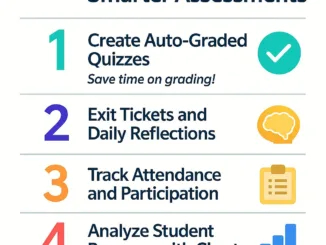
Written by Kruaof – Kruaof.com Teachers spend hours grading and tracking student performance—but what if there’s a smarter way? With Google Forms, you can create quizzes, check attendance, and analyze results instantly—all from one platform. Here are 5 practical ways to use Google Forms for assessment: 1. Create Auto-Graded Quizzes Google Forms lets you create multiple-choice quizzes that grade themselves. You can assign point values, provide feedback, and even show correct answers immediately. [ อ่านต่อ ]
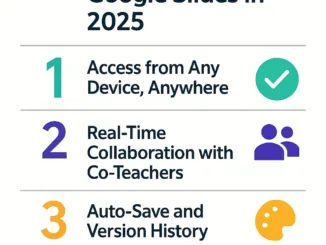
Written by Kruaof – Kruaof.com PowerPoint has been a teacher’s best friend for decades. But in 2025, it’s time to upgrade. Let me introduce you to Google Slides — a cloud-based, collaborative, and more flexible presentation tool that’s perfect for modern teaching. Here are 5 reasons why every teacher should consider switching: 1. Access from Any Device, Anywhere Google Slides works seamlessly across desktops, tablets, and smartphones. Your files are saved in the cloud—no more lost fl [ อ่านต่อ ]
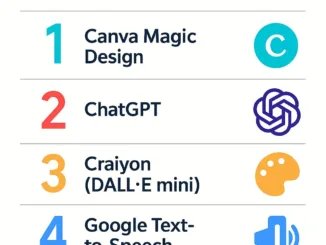
Written by Kruaof – Kruaof.com Artificial Intelligence is revolutionizing education, not by replacing teachers—but by becoming the perfect classroom assistant. In this article, I’ve compiled 5 free and powerful AI tools that I personally recommend for teachers who want to save time and enhance their teaching materials. 1. Canva Magic Design Canva’s AI design feature lets you generate visual teaching materials like slides, posters, and handouts by simply entering your topic. Great for teachers wi [ อ่านต่อ ]
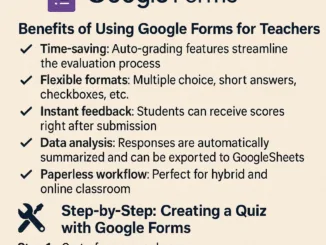
Introduction: Assessments are a vital part of teaching, but they don’t have to take up all your time. Google Forms allows teachers to create quick, easy, and auto-graded quizzes that save hours of manual work. Let’s explore how you can use Google Forms effectively for classroom assessments in 2025. Benefits of Using Google Forms for Teachers: Step-by-Step: Creating a Quiz with Google Forms Step 1: Go to forms.google.comStep 2: Choose a blank quiz or use a templateStep 3: Add your questions and a [ อ่านต่อ ]
Copyright © 2026 | WordPress Theme by MH Themes