ChatGPT Image 5 ก.ค. 2568 14 41 17

Chromebooks in the Classroom: Pros, Cons, and Top Models

9 กรกฎาคม 2025 ครูออฟ 0
ส่งต่อให้เพื่อนอ่าน :

What Are Chromebooks and Why Are They Popular in Schools? Chromebooks are lightweight laptops running ChromeOS — a cloud-based system developed by Google. They’ve become extremely popular in schools worldwide due to their low cost, fast boot time, and seamless integration with Google Workspace for Education. But are they the right fit for your classroom? Let’s explore the pros, cons, and the top models recommended for teachers and students. ✅ Pros of Using Chromebooks in Education Cons of Using [ อ่านต่อ ]
5 สุดยอดส่วนขยาย Chrome สำหรับครู

Top 5 Chrome Extensions Every Teacher Should Use in 2025

24 มิถุนายน 2025 ครูออฟ 0
ส่งต่อให้เพื่อนอ่าน :

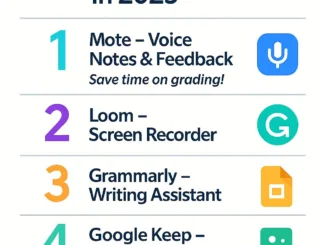
Written by Kruaof – Kruaof.com Looking for ways to teach smarter, not harder? These free Chrome extensions will transform how you plan lessons, communicate with students, and manage your digital classroom. Here are the Top 5 Chrome Extensions every teacher should try in 2025: 1. Mote – Voice Notes & Feedback Tired of typing comments? Use Mote to leave voice feedback directly in Google Docs, Slides, and Classroom. It’s quick, personal, and students love it! Great for formative feedback and la [ อ่านต่อ ]

ChatGPT Image 26 พ.ค. 2568 20 59 58

How Teachers Can Use Google Forms for Faster and Smarter Assessments

23 มิถุนายน 2025 ครูออฟ 0
ส่งต่อให้เพื่อนอ่าน :

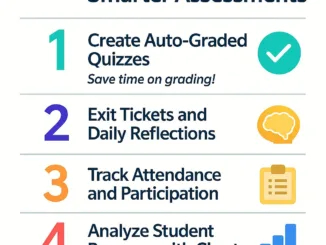
Written by Kruaof – Kruaof.com Teachers spend hours grading and tracking student performance—but what if there’s a smarter way? With Google Forms, you can create quizzes, check attendance, and analyze results instantly—all from one platform. Here are 5 practical ways to use Google Forms for assessment: 1. Create Auto-Graded Quizzes Google Forms lets you create multiple-choice quizzes that grade themselves. You can assign point values, provide feedback, and even show correct answers immediately. [ อ่านต่อ ]

ChatGPT Image 22 พ.ค. 2568 20 53 28

How to Use Google Forms for Quick and Effective Assessments

18 มิถุนายน 2025 ครูออฟ 0
ส่งต่อให้เพื่อนอ่าน :

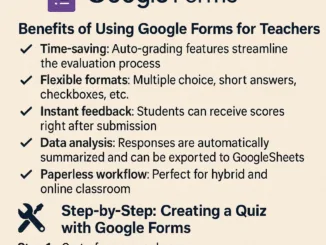
Introduction: Assessments are a vital part of teaching, but they don’t have to take up all your time. Google Forms allows teachers to create quick, easy, and auto-graded quizzes that save hours of manual work. Let’s explore how you can use Google Forms effectively for classroom assessments in 2025. Benefits of Using Google Forms for Teachers: Step-by-Step: Creating a Quiz with Google Forms Step 1: Go to forms.google.comStep 2: Choose a blank quiz or use a templateStep 3: Add your questions and a [ อ่านต่อ ]

ChatGPT Image 22 พ.ค. 2568 20 46 52

10 Best Chrome Extensions for Teachers in 2025

17 มิถุนายน 2025 ครูออฟ 0
ส่งต่อให้เพื่อนอ่าน :

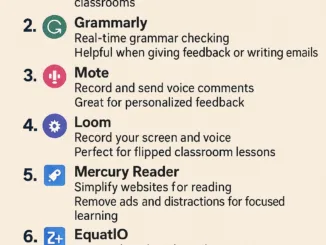
Introduction: Chrome extensions can transform how teachers manage their workload and engage students. In 2025, the right tools can mean less time spent on routine tasks and more time doing what you love—teaching! Here are 10 of the best Chrome extensions that educators should try this year. 1. Kami 2. Grammarly 3. Mote 4. Loom 5. Mercury Reader 6. EquatIO 7. Google Keep Extension 8. Dualless 9. Edpuzzle Extension 10. Share to Classroom Conclusion: By incorporating these Chrome extensions into yo [ อ่านต่อ ]

ChatGPT Image 22 พ.ค. 2568 20 39 57

Top 5 AI Tools for Teachers to Boost Productivity in 2025

16 มิถุนายน 2025 ครูออฟ 0
ส่งต่อให้เพื่อนอ่าน :

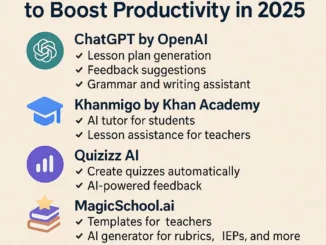
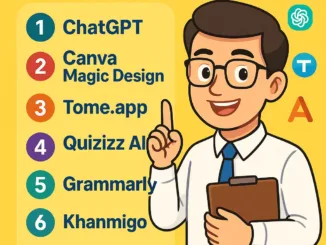
Introduction: The world of education is rapidly transforming with the help of artificial intelligence. For teachers aiming to save time, increase engagement, and improve efficiency, AI-powered tools are no longer optional—they’re essential. In this article, we’ll explore five of the best AI tools every educator should consider using in 2025. 1. ChatGPT by OpenAI Perfect for streamlining communication and saving hours on planning. 2. Khanmigo by Khan Academy An excellent tool to provide individua [ อ่านต่อ ]

ChatGPT Image 21 พ.ค. 2568 20 04 19

Top Google Workspace Tools Every Teacher Should Use

12 มิถุนายน 2025 ครูออฟ 0
ส่งต่อให้เพื่อนอ่าน :

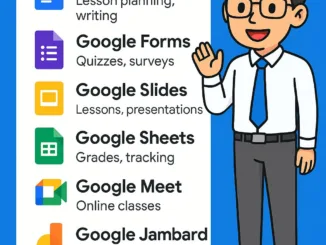
Google Workspace (formerly G Suite) continues to be one of the most powerful and free toolkits for educators. In 2025, these tools are smarter, faster, and more integrated than ever before. Here’s a list of essential Google Workspace tools that every teacher should use to save time, collaborate better, and create a more engaging learning experience. 1. Google Docs Great for lesson planning, student writing, and real-time collaboration. 2. Google Forms Create quizzes, feedback surveys, and [ อ่านต่อ ]

ChatGPT Image 21 พ.ค. 2568 19 56 46

Best Chromebook Apps for Teaching in 2025

11 มิถุนายน 2025 ครูออฟ 0
ส่งต่อให้เพื่อนอ่าน :

Chromebooks have become the go-to device for schools across the world due to their affordability, security, and ease of use. But to truly maximize their power in the classroom, teachers need the right apps. Here’s a list of the top Chromebook apps for teachers in 2025 that can transform teaching into a more engaging, efficient, and collaborative experience. 1. Google Classroom The core of any Chromebook-powered classroom. Assignments, grading, feedback—everything in one place. 2. Kami A PD [ อ่านต่อ ]

ChatGPT Image 21 พ.ค. 2568 19 48 53

Top 7 AI Tools Every Teacher Should Know in 2025

9 มิถุนายน 2025 ครูออฟ 0
ส่งต่อให้เพื่อนอ่าน :

In today’s digital age, teachers are not just educators—they’re also content creators, tech users, and data analysts. To stay ahead, using AI tools is no longer optional—it’s essential. Here are 7 must-have AI tools for teachers in 2025 that can boost productivity, save time, and enhance student engagement. 1. ChatGPT (by OpenAI) A powerful language model that helps generate lesson plans, quiz questions, explanations, and even report comments. 2. Canva Magic Design Create stunning presentations [ อ่านต่อ ]