5 สุดยอดส่วนขยาย Chrome สำหรับครู

Top 5 Chrome Extensions Every Teacher Should Use in 2025

24 มิถุนายน 2025 ครูออฟ 0
ส่งต่อให้เพื่อนอ่าน :

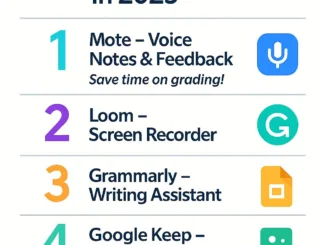
Written by Kruaof – Kruaof.com Looking for ways to teach smarter, not harder? These free Chrome extensions will transform how you plan lessons, communicate with students, and manage your digital classroom. Here are the Top 5 Chrome Extensions every teacher should try in 2025: 1. Mote – Voice Notes & Feedback Tired of typing comments? Use Mote to leave voice feedback directly in Google Docs, Slides, and Classroom. It’s quick, personal, and students love it! Great for formative feedback and la [ อ่านต่อ ]

ChatGPT Image 4 มิ.ย. 2568 21 16 55

5 โปรแกรมทำวิดีโอสื่อการสอนที่ครูใช้ได้ฟรีในปี 2568

24 มิถุนายน 2025 ครูออฟ 0
ส่งต่อให้เพื่อนอ่าน :

บทนำ ในยุคที่นักเรียนเปิด YouTube มากกว่าหนังสือ ครูจึงควรมี “วิดีโอสื่อการสอน” ไว้เสริมการเรียนรู้ ไม่ว่าจะเพื่อทบทวนเนื้อหา หรือใช้สอนแบบ Flipped Classroomบทความนี้จะพาไปรู้จัก 5 โปรแกรมที่ครูใช้ทำวิดีโอได้ฟรี และไม่ต้องมีพื้นฐานตัดต่อวิดีโอ 1. Canva Video Editor ใช้งานผ่านเว็บ ไม่ต้องติดตั้ง มีเทมเพลตสื่อการสอนพร้อมเสียงและภาพ เหมาะกับครูที่ต้องการทำวิดีโอแบบสั้น มีแอนิเมชันประกอบ 2. OBS Studio เครื่องมืออัดหน้าจอและเสียง พร้อมใช้สอนออนไลน์หรืออัดบทเรียน เหมาะกับครูสายไอที หรือผู้ [ อ่านต่อ ]

ChatGPT Image 26 พ.ค. 2568 20 59 58

How Teachers Can Use Google Forms for Faster and Smarter Assessments

23 มิถุนายน 2025 ครูออฟ 0
ส่งต่อให้เพื่อนอ่าน :

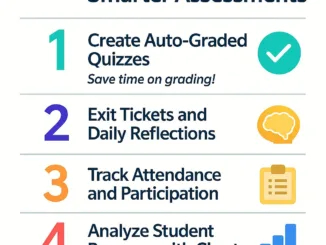
Written by Kruaof – Kruaof.com Teachers spend hours grading and tracking student performance—but what if there’s a smarter way? With Google Forms, you can create quizzes, check attendance, and analyze results instantly—all from one platform. Here are 5 practical ways to use Google Forms for assessment: 1. Create Auto-Graded Quizzes Google Forms lets you create multiple-choice quizzes that grade themselves. You can assign point values, provide feedback, and even show correct answers immediately. [ อ่านต่อ ]

ChatGPT Image 4 มิ.ย. 2568 21 11 33

สร้างสื่อ Interactive ด้วย Genially เครื่องมือฟรีที่ครูไม่ควรมองข้าม

23 มิถุนายน 2025 ครูออฟ 0
ส่งต่อให้เพื่อนอ่าน :

บทนำ หากครูออฟกำลังมองหา เครื่องมือสร้างสื่อที่ทั้งน่าสนใจและให้นักเรียนมีส่วนร่วม, Genially คือทางเลือกที่น่าทึ่งที่สุดในยุคนี้ บทความนี้จะแนะนำฟีเจอร์เด่น และแนวทางใช้งานในห้องเรียนแบบง่าย ๆ สำหรับครูไทย Genially คืออะไร? Genially คือแพลตฟอร์มออนไลน์สำหรับสร้าง: จุดเด่น: ไม่ต้องเขียนโค้ด, ลากวางได้เลย, มีเทมเพลตให้เลือกเพียบ ทำไมครูควรใช้ Genially? 1. ดึงดูดความสนใจของนักเรียน สื่อมีภาพเคลื่อนไหวและการโต้ตอบได้ทันที นักเรียนไม่เบื่อง่าย 2. ใช้งานฟรี / ไม่ต้องติดตั้ง เปิดบนเบราว์เซอร์ได้เลย รอง [ อ่านต่อ ]

ChatGPT Image 26 พ.ค. 2568 20 53 52

5 Reasons Teachers Should Switch from PowerPoint to Google Slides in 2025

20 มิถุนายน 2025 ครูออฟ 0
ส่งต่อให้เพื่อนอ่าน :

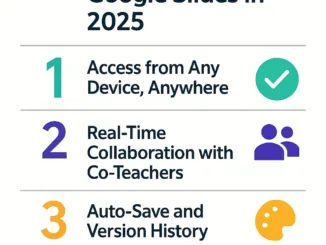
Written by Kruaof – Kruaof.com PowerPoint has been a teacher’s best friend for decades. But in 2025, it’s time to upgrade. Let me introduce you to Google Slides — a cloud-based, collaborative, and more flexible presentation tool that’s perfect for modern teaching. Here are 5 reasons why every teacher should consider switching: 1. Access from Any Device, Anywhere Google Slides works seamlessly across desktops, tablets, and smartphones. Your files are saved in the cloud—no more lost fl [ อ่านต่อ ]

ChatGPT Image 4 มิ.ย. 2568 20 55 24

ทำไม Chromebook ถึงเหมาะกับห้องเรียนไทยในปีนี้?

20 มิถุนายน 2025 ครูออฟ 0
ส่งต่อให้เพื่อนอ่าน :

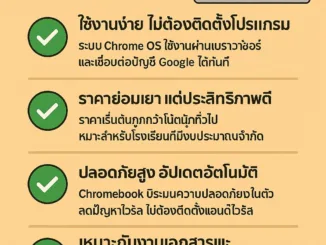
บทนำ ในยุคที่การเรียนรู้เปลี่ยนแปลงอย่างรวดเร็ว Chromebook กลายเป็นอุปกรณ์ทางเลือกใหม่สำหรับห้องเรียนในหลายประเทศ รวมถึงประเทศไทย บทความนี้จะอธิบายว่าทำไม Chromebook จึงเป็น “ตัวเลือกที่ใช่” สำหรับโรงเรียนไทยในปี 2568 จุดเด่นของ Chromebook 1. ใช้งานง่าย ไม่ต้องติดตั้งโปรแกรม ระบบ Chrome OS ใช้งานผ่านเบราว์เซอร์ และเชื่อมต่อบัญชี Google ได้ทันที 2. ราคาย่อมเยา แต่ประสิทธิภาพดี ราคาเริ่มต้นถูกกว่าโน้ตบุ๊กทั่วไป เหมาะสำหรับโรงเรียนที่มีงบประมาณจำกัด 3. ปลอดภัยสูง อัปเดตอัตโนมัติ Chromebook มีระบบคว [ อ่านต่อ ]

ChatGPT Image 26 พ.ค. 2568 20 41 57

Top 5 Free AI Tools Every Teacher Should Use

19 มิถุนายน 2025 ครูออฟ 0
ส่งต่อให้เพื่อนอ่าน :

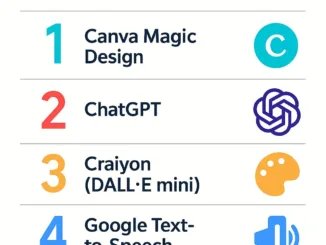
Written by Kruaof – Kruaof.com Artificial Intelligence is revolutionizing education, not by replacing teachers—but by becoming the perfect classroom assistant. In this article, I’ve compiled 5 free and powerful AI tools that I personally recommend for teachers who want to save time and enhance their teaching materials. 1. Canva Magic Design Canva’s AI design feature lets you generate visual teaching materials like slides, posters, and handouts by simply entering your topic. Great for teachers wi [ อ่านต่อ ]

ChatGPT Image 4 มิ.ย. 2568 20 46 09

วิธีใช้ Google Workspace for Education อย่างมือโปร

19 มิถุนายน 2025 ครูออฟ 0
ส่งต่อให้เพื่อนอ่าน :

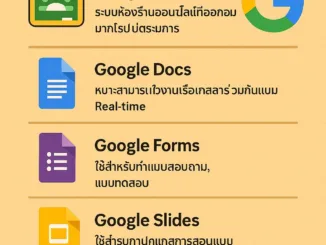
บทนำ Google Workspace for Education คือชุดเครื่องมือออนไลน์ที่ออกแบบมาโดยเฉพาะสำหรับครูและโรงเรียน ครอบคลุมการสื่อสาร การจัดการเอกสาร การสั่งงาน และการติดตามนักเรียนได้อย่างครบวงจรบทความนี้จะพาครูออฟไปรู้จักและใช้งานเครื่องมือต่าง ๆ ได้แบบ มือโปร! 1. Google Classroom ระบบห้องเรียนออนไลน์ที่ครูสามารถสั่งงาน ส่งงาน ตรวจงาน และสื่อสารกับนักเรียน เทคนิคมือโปร: ใช้หัวข้อ (Topic) เพื่อจัดระเบียบเนื้อหาให้เข้าใจง่าย 2. Google Docs เหมาะสำหรับทำใบงานหรือเอกสารร่วมกันแบบ Real-time เทคนิคมือโปร: ใช้ Add-o [ อ่านต่อ ]

ChatGPT Image 22 พ.ค. 2568 20 53 28

How to Use Google Forms for Quick and Effective Assessments

18 มิถุนายน 2025 ครูออฟ 0
ส่งต่อให้เพื่อนอ่าน :

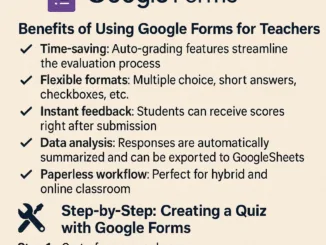
Introduction: Assessments are a vital part of teaching, but they don’t have to take up all your time. Google Forms allows teachers to create quick, easy, and auto-graded quizzes that save hours of manual work. Let’s explore how you can use Google Forms effectively for classroom assessments in 2025. Benefits of Using Google Forms for Teachers: Step-by-Step: Creating a Quiz with Google Forms Step 1: Go to forms.google.comStep 2: Choose a blank quiz or use a templateStep 3: Add your questions and a [ อ่านต่อ ]

ChatGPT Image 4 มิ.ย. 2568 20 39 56

รวม AI Tools สำหรับครูยุคใหม่ ใช้แล้วลดภาระงานได้จริง!

18 มิถุนายน 2025 ครูออฟ 0
ส่งต่อให้เพื่อนอ่าน :

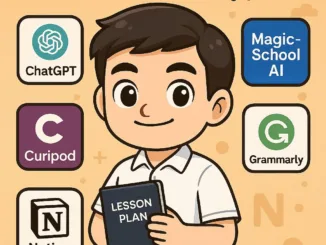
บทนำ เมื่อเทคโนโลยี AI ก้าวเข้าสู่ห้องเรียน ครูหลายคนอาจสงสัยว่า… “AI จะช่วยฉันได้อย่างไร?”บทความนี้จึงขอแนะนำ เครื่องมือ AI สำหรับครู ที่ใช้ได้จริง ช่วยลดภาระงาน ทำให้การจัดการเรียนการสอนมีประสิทธิภาพมากยิ่งขึ้น 1. ChatGPT / MagicSchool AI ผู้ช่วยในการเขียนแผนการสอน, สร้างแบบฝึกหัด, สรุปบทเรียน และแนวคำถาม เหมาะสำหรับ: ครูสายวิชาการ, ครูประถม, ครูมัธยม จุดเด่น: ใช้งานง่าย รองรับภาษาไทย 2. Curipod สร้างแผนการสอนแบบ Interactive และเนื้อหาสไลด์อัตโนมัติ เหมาะสำหรับ: ครูที่ต้องการ [ อ่านต่อ ]